CapCut vs Adobe Premiere Rush Detailed Comparison 2026
Video editing has become a vital skill for creators across social media, and choosing the right tool can significantly impact your workflow. Among the popular choices CapCut and Adobe Premiere Rush stand out. While both offer mobile-first solutions each caters to different user needs. This article will break down the differences and similarities between CapCut and Adobe Premiere Rush across various aspects of video editing.
Table of Contents
What is CapCut & Adobe Premiere Rush
CapCut is a free video editing app developed by Byte Dance the company behind TikTok. It’s primarily designed for mobile devices allowing users to quickly edit videos effects music and filters and share content directly on social media platforms like TikTok.
Adobe Premiere Rush
Adobe Premiere Rush is a simplified version of Adobe Premiere Pro designed for users who want a balance between professional-grade editing tools and ease of use. It works on both desktop and mobile devices making it a good choice for creators who want flexibility in their workflow across platforms.
| Feature | CapCut | Adobe Premiere Rush |
| Editing Tools | Basic trimming transitions text | Multi-track color correction audio |
| Speed | Fast mobile-first | Slightly slower more feature-rich |
| Templates | Extensive free templates | Fewer templates but high-quality |
| Output Options | Direct social sharing | Export to multiple platforms |
Ease of Use
CapCut is extremely easy to use with a drag-and-drop interface that allows quick video creation. It’s designed for non-professionals and people who want to create videos quickly without much prior knowledge of video editing.
Premiere Rush also boasts an intuitive interface but because it’s built to eventually transition into Premiere Pro it has a slightly steeper learning curve. While it remains beginner friendly it offers more control and customization options compared to CapCut.
Key Features
- CapCut standout features include AI-powered effects automatic subtitle generation and pre-set templates. Its seamless TikTok integration is another major advantage allowing direct uploading from the app.
- Premiere Rush: Its key features are the ability to edit multi-track projects color grading options and strong integration with Adobe Creative Cloud. It also allows users to switch to Adobe Premiere Pro for advanced editing without losing the project.
Read More: CapCut vs VideoShow Powerful Comparison for Easy Video Editing in 2026
Key Features Comparison
| Feature | CapCut | Adobe Premiere Rush |
| Mobile Experience | Excellent (Optimized for TikTok) | Good (Mobile and Desktop sync) |
| Multi-Track Editing | No | Yes |
| Audio Controls | Limited | Advanced audio editing and mixing |
| AI Features | Strong (e.g., Auto captions, Smart Cut) | Moderate (Some AI tools) |
| Cloud Storage Support | No | Yes |
Export and Sharing
Excels in this area with its direct integration with social media platforms particularly TikTok. It allows easy export of videos in various aspect ratios making it the go-to choice for content creators who need quick results.
Premiere Rush while not as quick as CapCut allows for exporting in higher quality formats and offers more customization for export settings. It also provides better control over file sizes which can be important for more professional or commercial work.
Templates and Presets
CapCut excels with a wide range of pre-built templates for quick editing especially for social media content. Adobe Premiere Rush offers fewer templates but has a wider selection of customization option allowing for more creative freedom.
AI-Powered Features
CapCut incorporates AI features like automatic captions and smart cut options which make the editing process faster and more efficient. Adobe Premiere Rush uses AI primarily in its color correction and audio mixing tools but its AI tools are not as extensive as CapCut’s.
Mobile vs Desktop Experience
CapCut is primarily mobile-focused providing an optimized experience for smartphones especially for TikTok-style content creation. Adobe Premiere Rush however offers both mobile and desktop experiences allowing for a seamless workflow between devices which can be a huge advantage for more serious creators.
ALSO READ: CapCut vs InShot Editing Power Effects & Ease Compared in 2026
System Requirements: CapCut vs Adobe Premiere Rush
| Requirement | CapCut (PC/Windows) | CapCut (Mobile) | Adobe Premiere Rush (Desktop) | Adobe Premiere Rush (Mobile) |
| Operating System | Windows 10 (64‑bit) or later / Windows 11 (64‑bit) | Android / iOS (latest versions) | Windows 10+ (64‑bit) / macOS Catalina+ | iOS 13+ / Android 9.0+ |
| Processor | Intel Core i3 (6th gen) or Ryzen 3 (min) / Intel Core i5+ recommended | Smartphone/Tablet CPU (ARM) | Multi‑core 64‑bit CPU (Intel i5 or equivalent recommended) | Mobile CPU (ARM‑based) |
| RAM | 8 GB (min) / 16 GB+ recommended | Varies by device (recommended 4 GB+) | 8 GB minimum | Varies (mobile device RAM) |
| Storage Space | 10 GB+ free (SSD recommended) | App install size varies | 8 GB available disk space | App install size varies |
| Internet | Required for downloads/updates | Required for some features | Required for activation & cloud services | Required for cloud sync |
Pricing and Plans
CapCut is completely free which makes it a great choice for casual creators who need basic editing tools.
Premiere Rush offers a free plan with limited exports with the full version available for a subscription.
| Tool | Free Plan | Paid Plan |
| CapCut | Yes, free with most features | No paid options currently available |
| Premiere Rush | Yes, with limited features | $9.99/month or $52.99/year |
CapCut Vs Adobe Premiere Rush Pros & Co/ns
free easy video editor great for TikTok/Reels with lots of trendy effects and AI tools.
simple cross‑platform editor by Adobe that works on mobile & desktop and syncs projects.
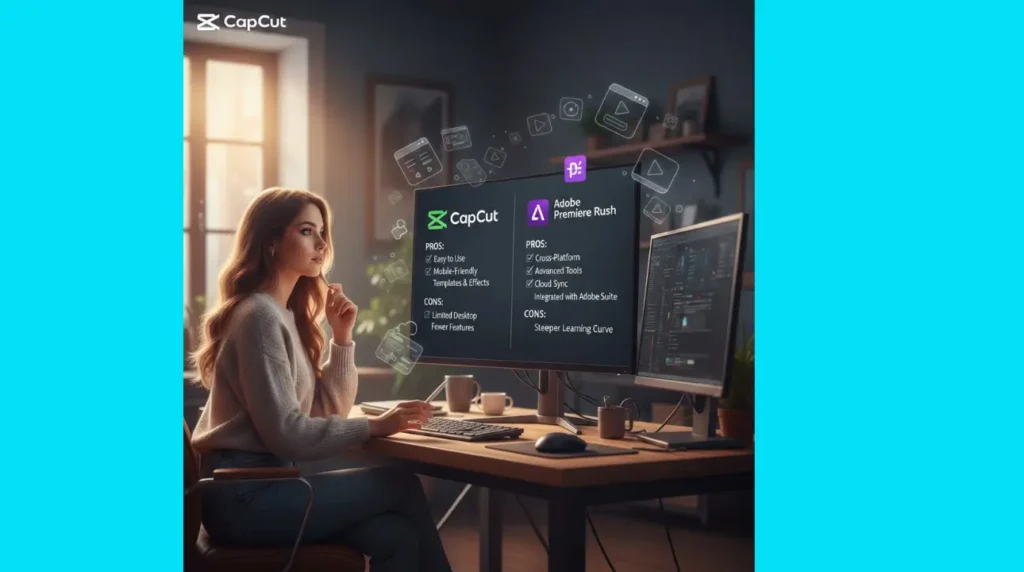
| CapCut Pros | Adobe Premiere Rush Pros |
| Free to use with no subscription required. | Strong integration with Adobe Creative Cloud and Premiere Pro |
| Quick and easy to use for beginners. | Multi-track editing and better color correction tools. |
| Great for mobile social media editing. | Professional output quality with more export options. |
| Capcut Cons | Adobe Premiere Rush Cons |
| Limited advanced features. | Paid subscription required for full features. |
| Somewhat basic compared to more professional software. | Slightly more difficult for absolute beginners. |
No full desktop version for advanced editing. | Mobile app interface is limited compared to desktop. |
FAQs
These questions and answers help users find clear and simple solutions quickly.
Conclusion
When choosing between CapCut and Adobe Premiere Rush the decision largely depends on your editing needs. CapCut is excellent for casual creators and quick social media videos while Adobe Premiere Rush offers more flexibility and professional-grade tools for users who need a robust cross platform experience. Both have their strengths and the choice comes down to how much depth you need in your video editing process.